Reference: After Effects Tutorial - Creating a Countdown Timer Using Expressions
Core code
1
2
3
4
5
6
7
8
9
10
11
12
13
14
15
slider = thisComp.layer("Slider Control").effect("Slider Control")("Slider");

sec = Math.floor(slider%60);
min = Math.floor(slider/60);


function zero(x) {

if (x<10) return "0" + x

else return x

}

zero(min) + ":" + zero(sec)
Steps
- Create a new Null layer, name it
Slider Control, and add a “Slider Control” property.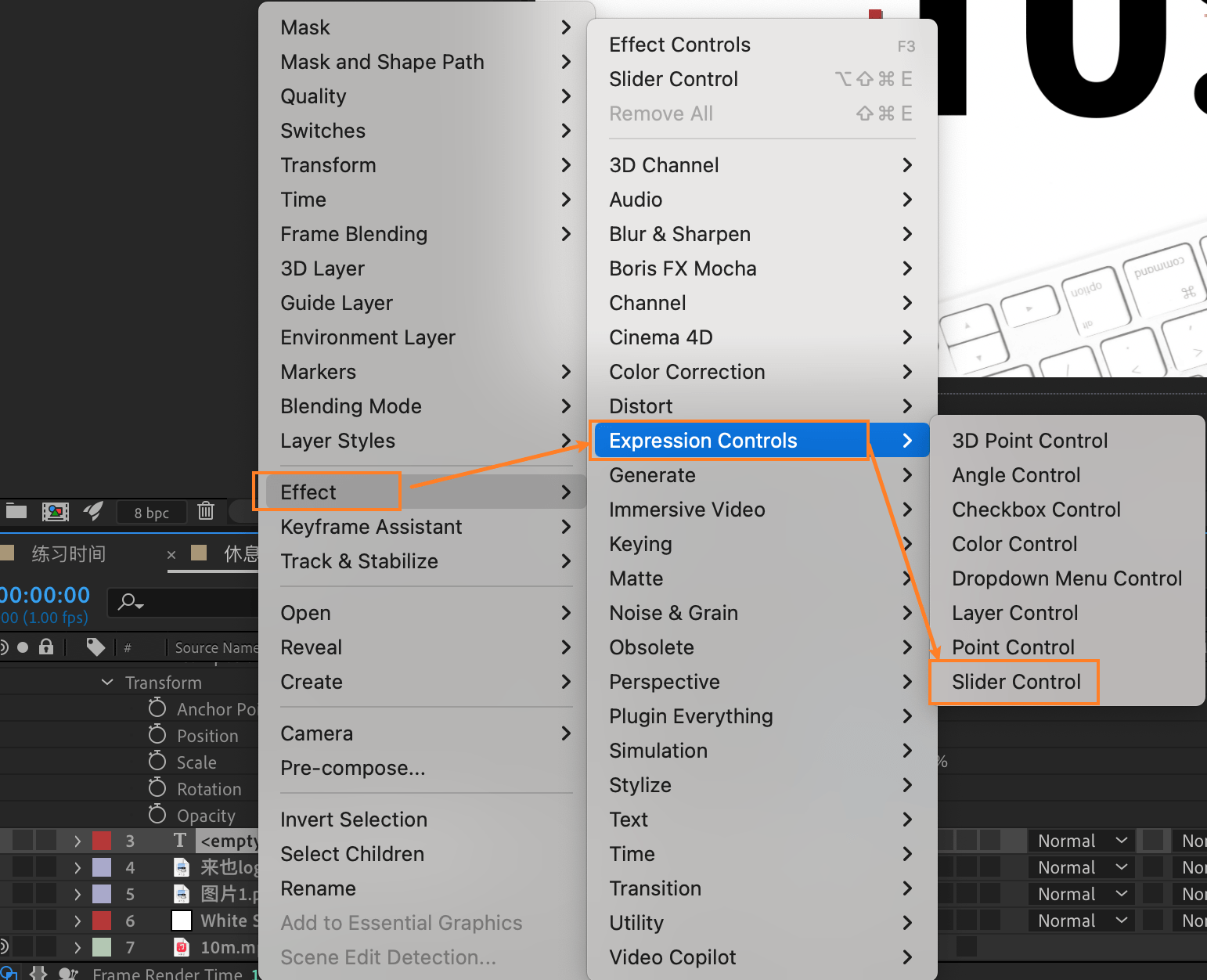
- Create a new text layer.
- In the text layer, Alt+left-click “Source Text” and paste the core code into it.
- Alt+left-click the Slider Control property on the Null layer and enter
value - time; - Adjust the value of the Slider Control property on the Null layer; the value = the number of minutes you want for the countdown x 60. For example, for a 10-minute countdown, enter 600, i.e., 10x60.
-
Previous
Batch merging videos with ffmpeg without rendering -
Next
For Audiobook Lovers: Convert Ebooks to MP3 with Python